Bones, Triangulating, and MeshSwap
Now we have to assign our mesh to the bones in the RIG(object skeleton). We also need to change all the faces in our mesh from 4-point(quads) to 3-point(tris). Then we can swap our mesh with the EA mesh.
Step 21
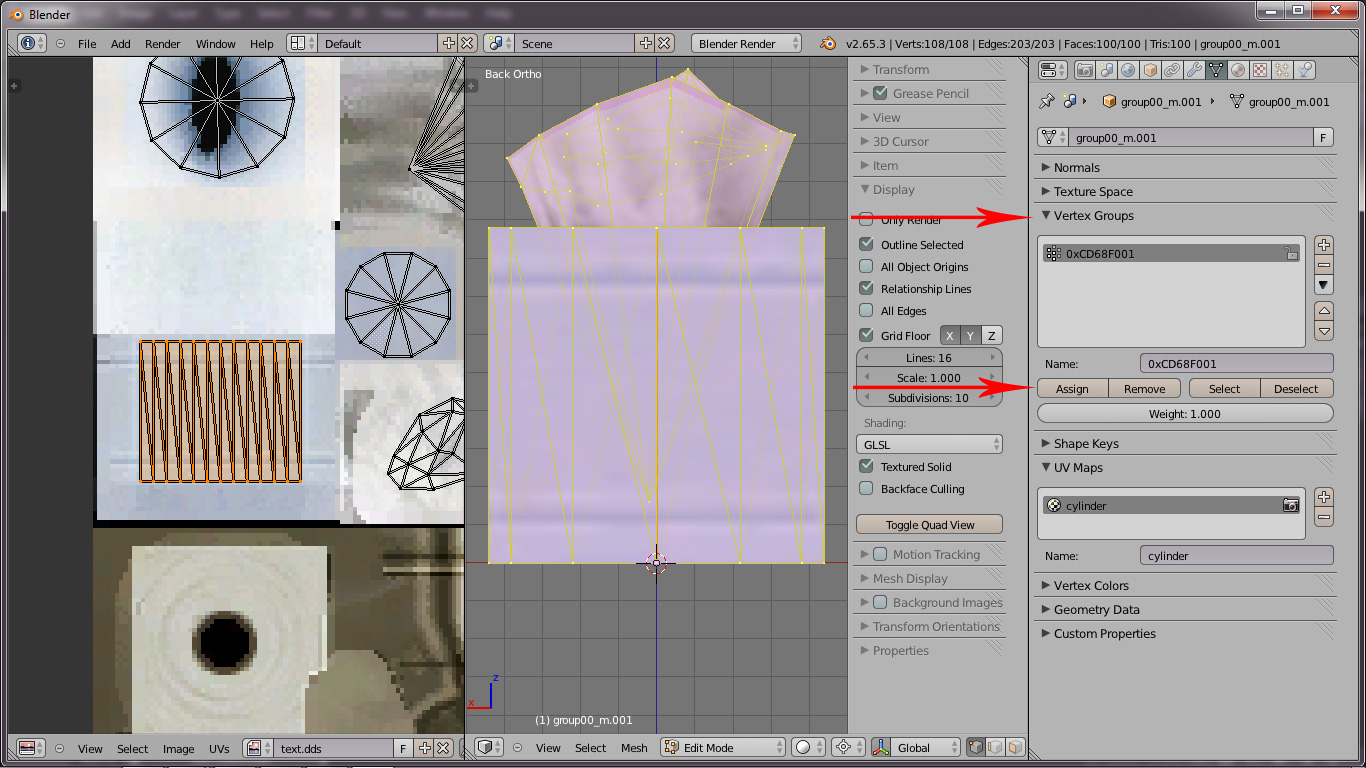
While still in Edit mode, press A to select all. In the Properties editor press the Object Data button and under Vertex Groups, click the Assign button to assign the vertices to the 0xCD68F001 bone. In the 3D view, press T to change the faces into triangles(required for TS3). Press TAB to go to Object mode.
Step 22
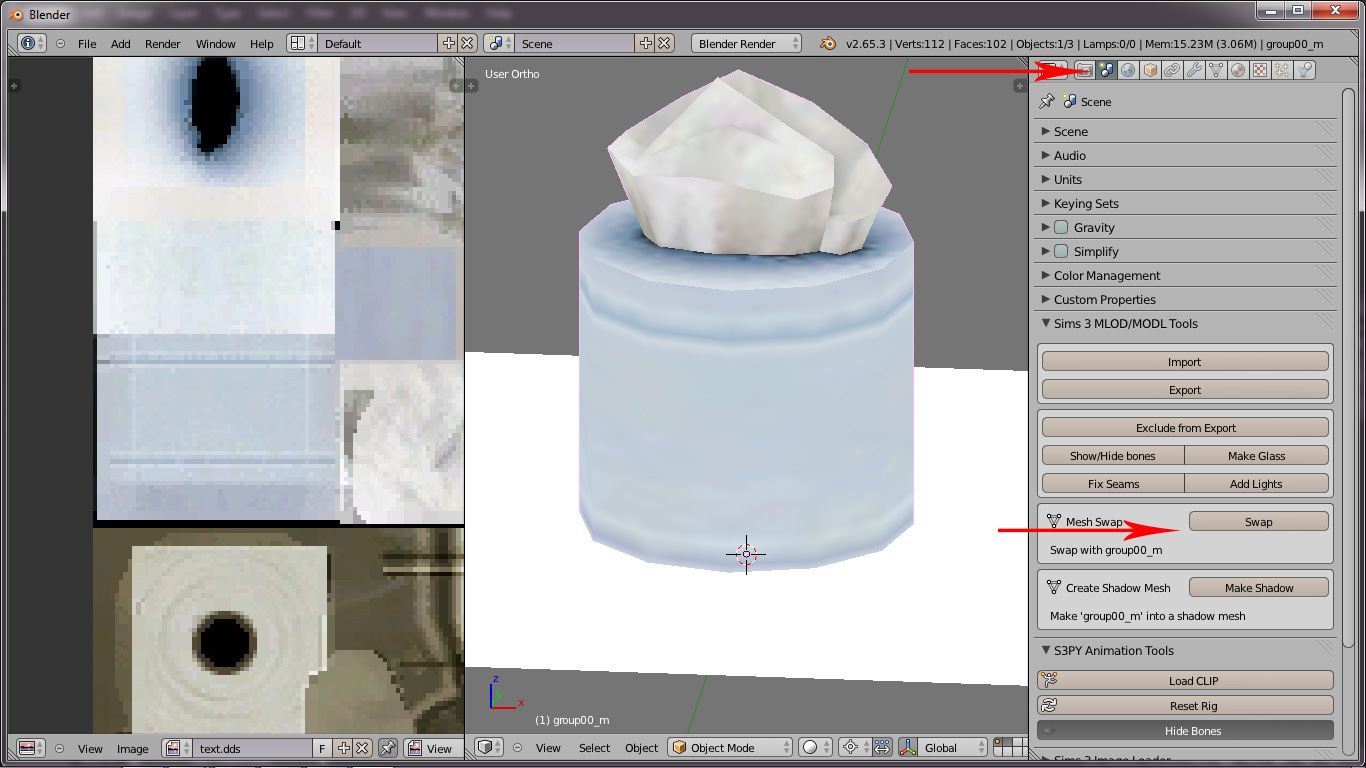
With the cylinder object still selected, hold SHIFT and press 1 to show
layer 1. hold SHIFT and right-click on the original tissue box. In the
Properties editor, press the Scene button(has a light, sphere, and
cylinder on it). Under Sims 3 MLOD/MODL Tools, click the Swap Mesh
button. This replaces the original mesh with your mesh.